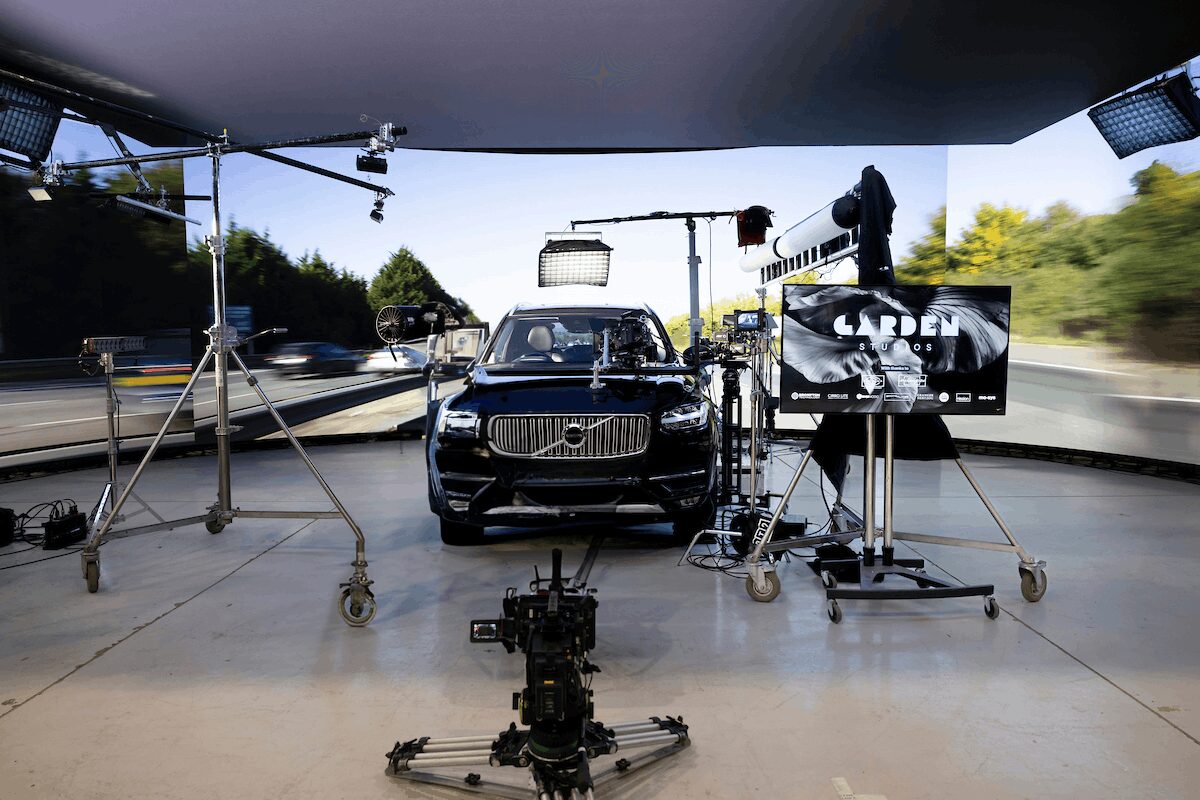
The real advantage of virtual production is not just saving time and money. Those gains only appear when you shift effort from post production into pre production. The more prepared a shoot is, and the more creative and technical decisions made before camera rolls, the greater the efficiency on the day.
One of the most valuable services we offer is the script breakdown. By meeting Heads of Department early, we can identify what needs to stay flexible for the shoot and what should be locked in ahead of time. That clarity improves performance on set and keeps production running smoothly.
What follows is a producer to producer clinic. It is designed to help you review draft scripts and surface the key virtual production decisions that will affect your schedule. These are the conversations that unlock real time savings, from lighting continuity and camera positioning to interactive lighting and reflections. It brings together creative, VFX and VP, AD, camera, art and locations teams before you ever step on set.
At Garden Studios, this approach is built directly into our workflow. Our team supports productions through every stage of VP planning on a permanent wet hire stage. Turning the guidance we give into a scheduling tool you can use for your production.
How does VP solve the time-of-day continuity problem?
One of the biggest promises of VP is that you can shoot golden hour all day. Whilst this is true in principle, most productions still need to think carefully about how lighting shifts across a schedule.
Consistent exterior lighting is a major benefit, but it does not remove the need for planning. The best results come from combining traditional lighting fixtures with interactive LED lighting. This blend helps physical elements like actors, set builds and props sit naturally inside the digital world.
Even though lighting changes inside Unreal can be done quickly, physical adjustments still take time. That includes rebalancing fixtures, repositioning sources and maintaining continuity across departments. Those changes need to be scheduled.
This is why a proper pre light is essential in VP. The gaffer should ideally review the virtual content in advance so lighting setups can be designed around it. A dedicated pre light day allows the team to build efficient setups and rehearse changes before shoot day.
How important is lighting design and performance in VP?
Another key consideration is real time performance inside Unreal. Lighting is often the most demanding part of a virtual scene. Too many lights or overly complex setups can reduce frame rate and stability.
For that reason, lighting design needs to be part of early planning. Keeping communication open between on set teams and the content creation team avoids last minute compromises and keeps the system running smoothly.
How can you use VP to cheat camera and world position?
In traditional production, geography is already flexible. Virtual production expands those possibilities, but only if it is planned properly.
LED walls with live content repositioning allow camera operators to move through virtual environments in ways that would not be possible on location. This opens up new angles, perspectives and shot designs inside both 2D and 3D worlds.
With the right planning, a single built environment can represent multiple locations. A room can be dressed and framed in different ways to suggest entirely different spaces. Physical set design plays a major role here, because it helps sell the illusion when combined with digital changes.
There is also the option to animate environments. Digital sets can be programmed to move or rotate over time, which creates dynamic camera opportunities that would be difficult or impossible on a physical location.
What is the schedule impact of shifting world positions in VP?
The biggest gain here is reducing the need to reload or swap virtual environments between scenes. It also lowers content build costs, since fewer unique environments may be required.
What are the interactive lighting beats, and can they be simplified in VP?
Interactive lighting is where virtual production delivers some of its most powerful results. The LED wall itself becomes a large, responsive light source that helps integrate physical and digital elements.
Physical lighting still plays a critical role, but the wall gives you a strong starting point. For example, a hard light source can be matched directly to a virtual sun position visible on screen. Alternatively, the virtual sun can be adjusted to match a practical fixture. This feedback loop helps maintain visual consistency.
Ceiling panels and off camera wall areas can also be used creatively. With support from the VP operator, DOPs and gaffers can introduce light cards and flags with full RGB and CCT control. These can even be animated to suggest movement off screen, such as passing vehicles or emergency lighting effects.
Do weather and atmospheric effects work well in VP?
Atmospheric effects can still be used effectively in virtual production.
Rain, smoke, snow and water effects are all possible, but they require coordination to protect LED surfaces and maintain consistent lighting. At Garden Studios, we have a fully motorised ceiling panel that can move forward and back, which helps create space between physical effects and the wall. This allows for safe use of rigs and practical effects while maintaining strong overhead lighting.
Most atmospheric workflows follow the same safety and timing considerations as any studio environment. The key difference is ensuring the LED wall is protected and the lighting plan accounts for additional diffusion and reflection.
Is camera movement and grip a limitation or advantage in VP?
Camera movement is often seen as a limitation in virtual production, but in practice it can become a creative advantage.
One common constraint is shot width. If a frame goes too wide, the camera may catch the edge of the LED wall. While post production extensions can solve this, it is important to plan for them early so they are included in the schedule and budget. When flagged in advance, VP teams can also supply tracking data to speed up VFX work.
Floor visibility is another frequent challenge. Full body shots can reveal the edge of the physical set where it meets the LED wall. This is solved using floor blends, which combine practical materials like vinyl, sand or artificial grass with graded adjustments on the LED wall.
This process takes time. Blending a full wall typically requires locking lighting and applying grading windows, which can take around 45 minutes. If planned on an establishing shot per environment, it allows tighter shots to follow without additional adjustments.
For 3D tracked shoots, camera tracking systems also need clear visibility of markers or features. If rigs change position during the day, recalibration time must be factored in.
Tracking systems also introduce slight latency between physical and virtual movement. This can limit very fast camera moves with abrupt stops. Motion control rigs can help solve this by pre syncing movement data so the virtual camera anticipates the physical motion.
If you are reviewing a draft script and trying to understand where virtual production will genuinely save time, and where it may introduce complexity, we can help you make those decisions early.